Builder
Drag, connect, done
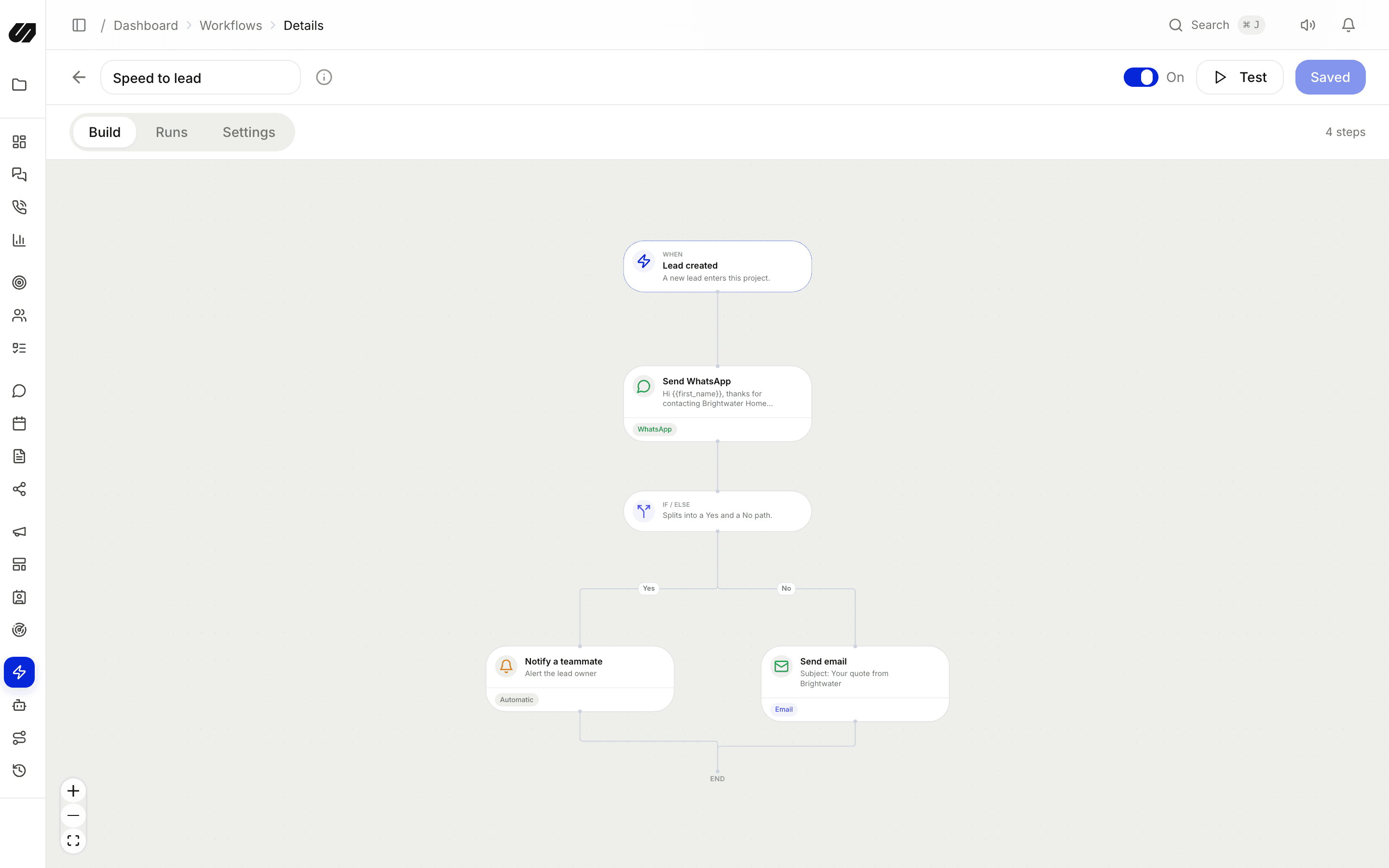
A visual builder with triggers, branching conditions and delays. Add actions, assign, tag, move stage, message, create a task, call a webhook or run AI, and review each run in history.
Workflows & AI
A visual, no-code workflow builder with triggers, conditions, delays and actions. Sequences for timed follow-up, routing rules for new leads, and an AI agent that answers with guardrails and a human hand-off.
What's included
Captured, answered, routed and followed up, with each channel's rules respected.
Start on a new lead, an inbound message, a stage change, a tag or a booking, then branch on any field with conditions and delays.
Assign, tag, move stage, send a message on any channel, create a task, notify the team or call a webhook. Chain as many as a flow needs.
Timed, multi-step follow-up on email, SMS or WhatsApp that stops when the person replies.
Round-robin, weighted or fixed assignment puts new leads with the right rep the moment they arrive.
Draft or auto-send replies grounded in your knowledge base and instructions, book appointments, save details and hand off to a human.
See what fired and why a rule did not match. Every AI tool call is logged with confirmations, results and timing.
Builder
A visual builder with triggers, branching conditions and delays. Add actions, assign, tag, move stage, message, create a task, call a webhook or run AI, and review each run in history.
AI agent
Give the agent a personality, your knowledge base and your instructions. It replies on website chat, WhatsApp and social DMs inside each platform's rules, offers choices as tappable options, books appointments and confirms sensitive actions before acting. Set draft mode, office hours, rate limits and caps per project.

Routing
Round-robin, weighted or fixed routing assigns new leads from chat, ads, forms, webhooks, bookings or prospecting as they arrive, then automations follow up.
Google Gemini by default. Each project can switch to an OpenAI, Anthropic Claude or xAI Grok model instead. AI actions use AI credits from your plan's bucket.
Both, and you decide per flow. It can draft a reply for an agent to approve, or send automatically inside each platform's messaging rules, with office hours, rate limits and daily caps.
Trigger on new leads, inbound messages, stage changes, tags or bookings; branch on any field with conditions and delays; then assign, tag, move a stage, send a message, create a task, reply with AI or call a webhook.
Choose round-robin, weighted or fixed assignment per pipeline. New leads from any source are assigned instantly, and every run is logged in the history.
Connect your channels, import your contacts and let the AI handle the first reply. No per-seat fees.